 printCAD
Assembly
The Assembly workbench places bodies against each other with joints. A joint belongs to the body it moves and names the body it holds against. Joints solve when one is made or edited and when a body moves, and the moves are ordinary edits: a joint and the moves it causes undo as one step.
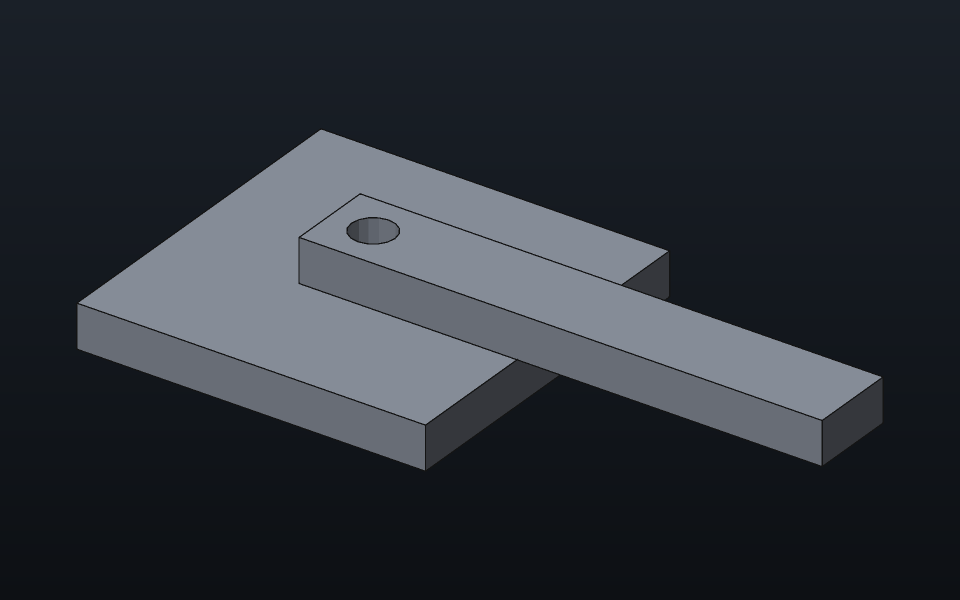
Making a joint
Pick a joint tool, click a face on the body to move, then a face on the body it goes against. The first body moves; the second stays where it is.
| Joint | Takes | Leaves free |
|---|---|---|
| Mate faces (M) | two flat faces | sliding on the face, turning about its normal |
| Align axes (A) | two axes | turning about the axis, sliding along it |
| Angle between faces (N) | two faces or axes | everything but the angle |
| Hinge (H) | two axes | turning about the axis |
| Slider (L) | two axes | sliding along the axis |
| Fix together (X) | any face on each | nothing: the body moves with the other |
| Parallel faces (R) | two faces or axes | everything but the two tilts |
| Perpendicular faces (Shift+R) | two faces or axes | everything but one tilt |
| Distance between faces (D) | a face, an axis or a point on each | everything but the distance |
| Tangent faces (T) | a flat face and a round one | rolling and sliding on the flat face |
| Ball joint (Shift+B) | two points | turning every way about the point |
| Universal joint (Shift+U) | two axes, the yokes' pins | turning about either pin |
| Pin in a slot (Shift+S) | a point, then a line | sliding along the line, turning every way |
| Along a path (Shift+P) | a point, then an edge of any shape | running along the edge, turning every way |
| Cam and follower (Shift+C) | a point or a roller, then the cam's face | everything but staying on the face |
| Centred in a slot (Shift+W) | a tab's two faces, then the slot's two walls | sliding along the slot, turning in it |
An axis is a round face (a hole, a pin, a boss) or an edge: a circular edge gives its circle's axis, so a hole's rim works, and a straight edge gives its own line. A point is a ball's centre, a circular edge's centre, or where a face was clicked. A distance is along a flat face's normal when one end is a flat face, from a point to an axis, between two parallel axes (a centre distance, for gear spacing), or between two points. A path keeps the whole edge it was put on, and a cam the whole face; a roller follower, picked on its round face, takes its axis and its radius. Settings a tool does not ask for start at what the bodies make now (an angle, a distance), so making the joint moves nothing it need not.
A datum plane or line selected in the tree while a joint is picked
counts as a face of its body. After the first pick the panel offers the
origin's planes and axes as the other end: the body is then held to the
world, which never moves (the nil id as other in a script,
its face in world space).
While a joint's faces are picked, every body but the one under the cursor and the one picked first fades, so faces behind it can be seen and clicked.
A joint's settings change its kind in place (Kind), from where the
bodies stand; a kind that takes other sorts of faces, or Pick faces
again, picks the two faces afresh while the joint keeps its name.
asm.set takes kind, face,
other and other_face for the same.
Each end of a joint can be moved along its own normal or axis (Moving
end, Fixed end in its settings, formulas welcome): a mate with its fixed
end raised 3 mm holds the body 3 mm up, whatever gap the kind has.
asm.set takes moving_end and
fixed_end.
Every joint's settings can turn its body about the joint's axis or
normal by an angle (Turn), or half a turn across it (Turn over, the body
the other way round); the joint takes the new place as its own, a driven
hinge keeping its angle. A fixed joint's shift, where the body sits from
the other along the other's axes, is three fields that take formulas.
asm.turn and asm.flip do the same from a
script.
A joint that keeps a turn of its own (a hinge's or an alignment's
zero, a slider's or a fixed joint's held turn) has Turn 90° as well:
what the joint counts its turn from moves a quarter turn about its axis
or normal, and the body follows, the joint reading as it did. A hinge
held at 30° ends a quarter turn further round, still held at 30° and its
limits turned with it, where Turn would have moved its angle on to 120°.
asm.turn90 does the same (back = true the
other way). A mate keeps no turn in its plane, which is left free: Turn
turns a mated body.
A joint keeps the names of the faces it was picked on. When a body is rebuilt (a pad made longer, a hole moved), each end is found again on its face by name and moves with it, and the bodies joined there follow. An end picked on a face with no name, or on an edge, stays where it was picked.
A selected joint is drawn in the view: a dot where each end takes hold, a flat face's normal and a square in its plane, an axis as a dashed line, and a dashed link between the ends with the joint's name.
A body's menu, in the tree or on the body in the view, offers Select
its joints when any joint holds it: the joints it moves by and those
holding another body to it are selected together in the tree and each is
drawn in the view, as joints Ctrl-clicked in the tree are.
asm.select_joints does the same and answers them.
Insert linked copies (Y) puts copies of the selected body in a row
beside it, as many as you ask, a step apart, or turned about an axis
(Around an axis: the axis, a point it runs through and the angle they
spread over; a whole turn shares it with the original), or one mirror
image across a plane (A mirror image: the plane and a point it runs
through). asm.copy makes copies from a script. Each copy
takes the body's shape and follows every change to it (an edit to the
original's features, a new import), is placed on its own and takes
joints like any body, and the parts list counts it with the original. A
mirror image follows the original the same way; the kernel makes its
solid, which the parts list counts as a part of its own.
asm.mirror makes one from a script. A copy with no joints,
like any body without them, drags straight across the view to put it
where it goes.
For copies that keep a count and a spacing of their own, Array of copies… on a body's menu repeats it in a row, round an axis, along a path or at a sketch's points, the copies under one row of the tree; see EDITING.md. On a component it repeats the whole component (see Components below).
Replace body (Shift+Y) puts another body in the selected one's place:
select the old body, start the tool, click the new one and press Done.
The new body goes where the old one sits and takes its joints (and its
place in any rigid group), each joint end moved to the new body's
nearest face of the same kind (a flat face facing the same way, a round
face on a parallel axis); the log names any joint no face matched. The
old body is hidden. asm.replace does the same.
Rigid group (U) locks several bodies together as they sit, in one
feature: click each body (a second click takes one out) and press Done.
The group moves as one, the first body the one the rest hold to; its
settings change the members or dissolve it. asm.group makes
one from a script.
Ground body (F) keeps the selected body where it is, and the bodies
joined to it are placed against it; on a grounded body it lets go. The
first joint of an assembly grounds the body it holds to when nothing is
grounded yet. Solve joints (S) places every body its joints hold again.
The status bar says how many motions the joints leave open, and for the
selected body which ones, and counts the joints that hold nothing the
body's other joints do not; such a joint's settings call it Redundant
(asm.redundant lists them). A joint's settings end with the
solver's messages while there are any: every joint or coupling the
bodies cannot hold where they sit, then every redundant joint, by name;
a click selects it. asm.unmet lists the first.
Driving and limits
A hinge's angle and a slider's position can be driven: tick Drive in
its settings and give a value, or a formula (see VARIABLES.md). A hinge's angle counts from
where it sat when the joint was made. Limits keep the motion within a
range while it is not driven, and a drag of the drive's value stops at
them (typing may go past); a joint resting on a limit shows its motion
as "one way, at its limit". Play sweeps a driven joint through its
limits (or a whole turn, or 25 mm either way) to show the motion, and
puts it back when stopped; a drive set by a formula has no Play. Record
saves the same sweep, there and back, seen from the current view, as the
ending of the name typed says: .png an animated PNG,
.gif a GIF, .frames a folder of numbered PNG
frames, and with ffmpeg on the system .webm or
.mp4 a video. A name with no ending, or another, is saved
as an animated PNG.
Check collisions through the motion, in a hinge's or a slider's
settings, steps the drive across its limits (a whole turn, or 25 mm
either way, without them) and lists each step where two bodies share
more material than where the joint stands, away from the window.
asm.motion_clashes does the same from a script.
An alignment leaves two motions, the turn about its axis and the
slide along it, and each can be driven or limited the same way
(turn_drive, turn_limits,
slide_drive and slide_limits in a script).
Motion over time
Motion over time (Shift+M) drives several hinges and sliders at once,
each by a formula of the time t in seconds
(90 * t, 30 * sin(t * 180°)): a hinge's angle
in degrees, a slider's position in millimetres, from a start to an end
in steps. A plain number takes the drive's unit; a length for a hinge or
an angle for a slider is refused. Work out the motion solves every frame
on a copy of the document and keeps the motion as a row of the tree; the
scrubber shows any frame, Play plays them at their own pace, and Record
saves them as an animation. The bodies go back when it closes. Follow a
point, then a click on a body, traces that point through the motion: its
path drawn in the view, its speed now and at most, and a plot of its
speed and of the drives over time. asm.motion keeps one
from a script, asm.motion_frames lists its frames and
asm.trace follows a point.
Gears, belts, racks and screws
Couple joints (K) ties two joints' motions: the driven joint follows the driving one. It takes the selected hinge or slider as the driver and the first joint it can tie to it, and its settings let you pick others:
| Kind | Ties | The driven joint moves |
|---|---|---|
| Gears | two hinges | the other way, ratio turns per turn |
| Belt | two hinges | the same way, ratio turns per turn |
| Rack and pinion | a hinge and a slider | the pinion's pitch circle: 2π × radius a turn |
| Screw | a hinge and a slider | the lead for each whole turn |
For meshed gears the ratio is the driver's teeth over the driven gear's: a 20-tooth gear driving a 40-tooth one is 0.5. Reverse turns the driven motion the other way (a crossed belt, a left-hand screw). The ratio, the pitch radius and the lead take formulas.
A coupling is made where the two joints stand, so making it, or changing its ratio, moves nothing there. Drive or drag the driving joint and the driven one follows; the status bar shows the driven body as placed. A coupling counts its driver's whole turns: after one turn of a driver at 1:2 the driven gear is half a turn round, not back where it started.
Dragging
Drag a jointed body with the left mouse button: it follows the mouse as far as its joints let it, so a door swings on its hinge rather than sliding off it. A body with no joints of its own drags straight across the view, what is joined to it following; a grounded body does not drag. With Shift held, a drag on any body of a group of jointed bodies that nothing grounds moves the whole group straight across the view as one, its joints as they are. A drag is one undo step. Escape, or taking up a tool, while the button is held puts every body back where the drag took it, with the couplings' counts of whole turns.
Move body (G) moves the selected body by numbers, or by its handles about the middle of its box. The panel's Handles choice, or Shift+G, switches them between Move and Turn. In Move an arrow along each axis slides the body, a square between two arrows slides it in their plane and the disc at the middle slides it across the view; in Turn a ring about each axis turns it, and the outer ring turns it about the line of sight. While a handle is held the distance or angle shows beside it, Shift moves in steps (a round length that follows the zoom, 15°), and Escape puts the body back where the handle took it. Done keeps where it ends, recording every body the move and its solves placed with the couplings' counts of whole turns; Cancel puts all of them back. A task whose body or joint goes away underneath it (an undo, another client's change) closes, putting back each body still where the task left it; a body someone else moved since keeps its new place. A held body or pick that goes away is let go.
Handle sizes and their picking distance follow the UI scale on every display. The middle disc stays in the view plane, including its steps with Shift. Losing window focus cancels a held handle or body drag and restores its press state.
A drag stops where the body would run into another: it comes to rest against it. Faces that only touch, as mated faces do, never stop it, and bodies that already overlapped when the drag began may move as long as they overlap no further. Stop drags at collisions (C) in the toolbar turns this off.
Checking interference
Check interference (I) looks at every pair of visible solid bodies
and lists those that share material, with how much. The shared material
is drawn in red over the whole scene, where the bodies would hide it,
and marked with its volume. The check runs beside the window, which
stays usable: the panel shows how many pairs are done, and Stop keeps
what was found so far. Only pairs whose boxes meet are checked. Mesh
bodies are left out; convert one to a solid to check it. With a body
selected, the check takes that body against every other; Check every
pair in the panel takes them all. Check clearance, with the clearance
set in the panel, looks instead for pairs nearer to each other than
that: each drawn as a line between the two nearest points, with the
distance. asm.interference takes a clearance
to do the same.
Saved states
Save assembly state (Shift+E) keeps where every body sits, which are
hidden and where each driven joint is held, as a row of the tree: a
print-in-place hinge folded, and open. Double-click the row (or Restore
this state in its menu) to return to it; Save the assembly into it keeps
the assembly as it stands under that name. asm.save_state
and asm.restore_state do the same from a script.
Exploded view and parts list
Exploded view (E) moves every body straight out from the middle of
the assembly by the spread you set. Nothing is kept: the bodies go back
when it closes. Click bodies while it is open to make a step of a view
kept in the document: the bodies picked and how they move, Add step, and
on to the next. A step can shift its bodies (Shift x, y, z), turn them
about X, Y or Z through their middle (Turn about, Turn) and spread them,
pushing each straight out from that middle (Spread out), or any mix of
the three; in a script a step's
turn = {point, axis, degrees} and
radial = {centre, axis, distance} take any axis, a radial
one with an axis pushing square away from it. The steps play in order
(Progress, or Play for a step a second), each moved body drawn with a
dashed line from where it sits; the view is a row of the tree, and a
double-click shows it again. asm.exploded_view makes one
from a script and asm.explode_at says where it puts every
body.
Parts list (B) lists every part with how many there are, bodies of
the same shape counted together, the size of each along its own axes,
and its holes' cosmetic threads by designation ("2 × M6 thread", HOLES.md). Copy as CSV puts it on the clipboard
for a spreadsheet; Save as CSV writes it to a file. Number the parts
gives each part an item number, kept from then on; Bought marks a part
bought rather than made, which leaves its bodies out of an export of
every visible body and out of Send to slicer; Add column adds a column
of your own (a part number, a supplier) with a value per part. All of it
is kept in the document as the Parts list row of the tree, and
asm.part sets it from a script. The list's printing columns
(how many to print, each piece's volume and filament mass) are described
in PRINTING.md.
With components in the model, By component lists each component with
its parts under it, nested as the components are (a bolt in two
components shows in each with its own count); the CSV then starts every
row with its level, 0 at the top. asm.parts with
by_component answers the same.
Mass and centre of mass (W) measures every visible solid body at its
material's density, or at the density you set (g/cm³) for a body with no
material, with each body's share, and marks the centre of mass in the
view: what a tip-over check needs. It gives the assembly's principal
moments of inertia about its centre of mass too, each body's added where
it sits. Bought parts weigh in, as the parts list counts them, and are
marked so in the list of bodies. asm.mass answers the same
to a script, with the whole inertia tensor; bought = false
weighs the made parts alone. A single body's own mass, centre of mass
and inertia are in its property panel's Physical group; see MEASURE.md.
Components
A component groups bodies into one row of the tree, the way a sub-assembly does; components sit inside components to any depth. Right click a body's row: New component puts it in one of its own, Move to puts it in one already made, Take out of moves it one level up. A component's row hides and shows everything in it, renames from the Data tab, and Take apart (Delete) removes it and leaves its bodies one level up.
A component is rigid when made: its bodies move as one, whichever of
them a joint or a drag moves, and the joints between them rest. Make
flexible (its row's menu, Make rigid to undo it) keeps those joints
live, so a hinge inside a sub-assembly still turns in the assembly
around it; a rigid component inside a flexible one still moves as one.
New component inside, on a component's row, makes an empty one in it.
asm.component, asm.component_set,
asm.component_add and asm.component_remove do
the same from a script.
Array of copies… on a component's row repeats the whole component in
a row, a ring, along a path or at points: each occurrence is a rigid
component of linked copies, one of each of its bodies, standing where
the array puts it from where the component sits (doc.array
with component).
Parts from other files
File › Import of a printCAD file (.prtcad) brings in
every visible body of that file as a part linked to it: its shape is
read from the file each time the document opens, never stored in this
one. When the file changes, its parts' tree rows show a mark; Reload
from file (on the row or the body in the view) reads the file as it
stands, and Open the file opens it in a tab of its own to edit. A linked
part takes joints, placements and copies like any body.
A saved document keeps each link both as the file's full path and as its path from the document's folder, and looks beside the document first, so a project folder moved or copied whole keeps its links. A part whose file is found in neither place shows a mark on its row; Relink… (on the row or the body in the view) picks the file where it is now, as one undo step.
Export
File › Export…, with STEP as the format, writes several bodies as an assembly: each shape once, as a part, and each body an instance of it where it sits, so linked copies and other bodies of one shape share their part in the file.
From a script
Every joint tool is a command (asm.mate,
asm.hinge, ...) taking faces as pc.doc.faces
lists them. asm.set changes a joint's settings,
drive and limits included, and a coupling's
joints, kind and ratio; asm.couple ties two joints;
asm.travel reads a hinge's angle or a slider's position;
asm.freedom, asm.interference and
asm.parts read the assembly. SCRIPTING.md lists them all.