 printCAD
Surfaces
The Surface workbench makes sheets: surfaces with no inside, built from curves, joined into shells, and closed into solids. Use it for shapes a solid feature cannot reach: a car body panel, a mouse shell, a duct, or a lid whose edge follows a free-form curve.
Surface bodies
Surface steps go into a surface body: the selected one, or the body of the selected sketch when that body holds only sketches and datums, or a new body named Surface otherwise. A Design feature asked for on a surface body goes into a new body of its own, so the two never build over each other. To build solid features on a surface model, sew it closed into a solid and use the body in Design (a body boolean, or borrowing its shape).
Curves
A step is built from curves:
- Sketches. Every chain of a sketch's curves counts, open or closed. An open chain runs from one loose end to the other. A point where three curves meet is refused, since no single chain passes it.
- Edges. Edges picked in the view (Ctrl adds to the pick): of the body's own surfaces, where a fill can close the gap between surfaces, or of any other body, a Design solid too, taken where that body sits. A step on another body's edge builds again when that body changes or moves. Two bodies may not each read the other's edges.
- A face's edges. A face picked in the view gives every edge round it at once (a seam left out) to the tools that take curves or edges in any number: extruded, revolved and planar surfaces, filling, extending and the surface fillet.
A sketch a new step reads is hidden, the surface standing in for it (Preferences › Surface turns this off).
Create sketch starts a sketch in the selected surface body (or a new one); finishing it comes back to Surface with the sketch selected, ready for a tool. The tools that build from curves stay dim until a sketch is selected in the tree or edges or a face are picked; Sew and Mirror until a surface body with a shape is selected, and Check continuity, the curvature map and zebra stripes until any body with a shape is. A tool takes what is selected when it is clicked; in its task, "Add the selection" takes what is selected now, and the cross by a row takes it out.
Making surfaces
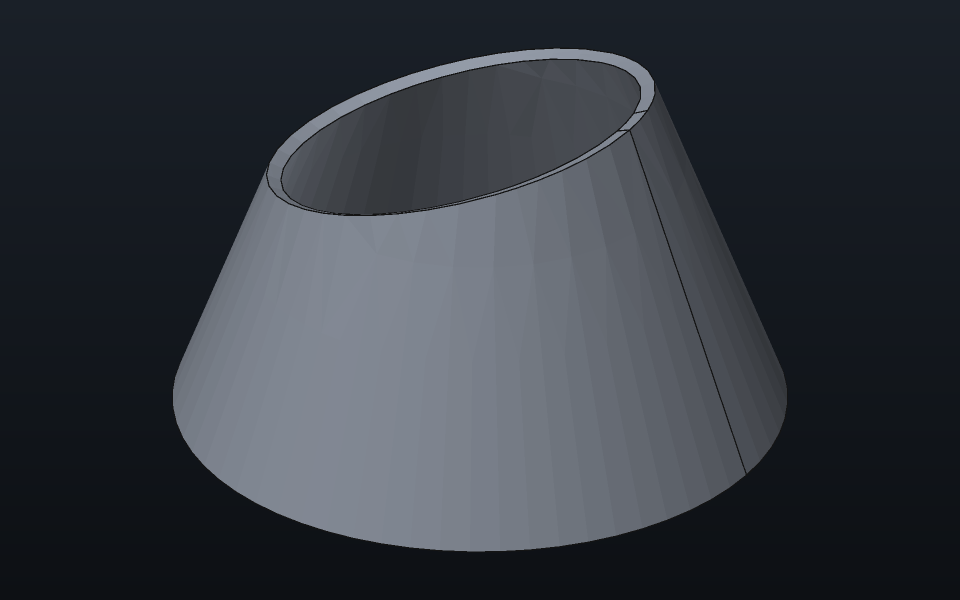
| Tool | What it makes |
|---|---|
| Extruded surface | Each curve swept straight: square to its sketch, or along X, Y or Z; one way, reversed, or half each way. A curve running along the direction sweeps nothing, and the step says so. |
| Revolved surface | Each curve turned about an axis: the sketch's vertical or horizontal axis, or X, Y or Z. |
| Planar surface | The flat face closed loops bound, a loop inside another a hole; or the face picked edges closing a flat loop bound. |
| Filling | The surface curves meeting end to end bound, three or more. A side picked on a surface meets that surface touching (G0), tangent (G1) or curvature continuous (G2); a sketch's curve is touched. |
| Ruled surface | Straight lines between two curves, end to end, one face per pair of pieces. |
| Lofted surface | A surface through section curves, one per sketch, in order; closed back to the first if asked. Guide curves, each crossing every section once, shape it between the sections. |
| Swept surface | A profile moved along a path, straight or curved, turning with it, from the end of the path the profile sits by. A path that turns a sharp corner or closes on itself is followed too, the sheet mitred at each corner. With a second rail, the profile runs from the path to the rail and rides both, scaled to the width between them. |
| Offset surface | Picked faces copied at a distance along their normals. |
| Blend surface | A surface bridging two picked edges, meeting each edge's face touching, tangent or curvature continuous. |
| Fitted surface | A plane or cylinder fitted to a region of a scan, grown from a point on it, reaching past the region by a share of its size (35 %) so the fits of neighbouring faces cross. See Modelling from a scan. |
| Patch network | Patches bounded by curves laid over a scan (sketches, edges or point lists), each named by its sides as curve numbers, fitted to the scan's points together and sewn into one shell: no gap across a curve, tangent across all but the creases (exactly where four patches meet at a corner, nearly where three or five do). |
| Fitted free-form surface | A B-spline fitted to a scan region of any shape: the region spreads from a point across triangles turning less than an angle (8°), and the sheet is refined until it keeps within a tolerance (0.05 mm) of its points or only noise is left. |
Every surface is bounded by edges: a later step can pick them, and Sew joins it to its neighbours. A filling is bounded by the very edges it was given.
Patch networks
pc.surface.fit_network fits a scan using boundaries from
sketches, edges or polylines. Number the curves from 1 in
that order. In patches, each patch has four signed curve
numbers in walking order round its boundary: a negative number reverses
a curve, and 0 shrinks a side to a point.
Use chained for additional patches with a list of curve
numbers for each side. For example,
chained = {{{1}, {7, 9}, {5}, {6}}} makes one patch whose
second side follows curves 7 and 9. An empty side list shrinks to a
point; numbers within a chain must be nonzero. patches and
chained can be combined in the same network.
A curve from a neighbouring patch can end between two curves of a
chained side: a T-junction. The opposite side must contain the same
number of curves, or one curve that carries the junction to the next
patch. The patch stays C1 across that junction. Shared boundaries are
tangent unless listed in creases.
corrections (default 0) sets the number of
parameter-correction passes after refinement. Each pass projects scan
points onto the fitted patches and fits again; it is kept only if the
RMS distance decreases. See the surface.fit_network scripting
reference for a complete T-junction example.
Working on surfaces
| Tool | What it does |
|---|---|
| Sew | Joins the body's surfaces where their edges meet, or come within a gap you set. A shell that closes becomes a solid. |
| Surface fillet | Rounds picked edges where two faces of a surface meet. |
| Fillet between surfaces | Rounds between two picked faces that share no edge, such as two separate surfaces: each is cut back to where the round touches it, and the three become one sheet. The round rolls on the side each face's normal points to; flip a face to roll it on the other. |
| Extend surface | Grows faces past picked edges: on their own surface (G2), straight on tangent (G1), or straight on (G0). |
| Split surface | Cuts picked faces along curves: a sketch lands on the face as seen square to its plane, picked edges (or sketches on different planes) at the nearest points of the face. A curve that crosses the face from edge to edge cuts it in two, and a closed loop inside the face cuts out the patch it rings. |
| Trim by plane | Keeps what of the body lies on one side of a plane. |
| Trim by the scan | Cuts the body's surfaces where they cross each other and keeps each face that lies on a scan (half its area within a tolerance, three times the loosest fit's σ unless given), sewn: a closed shell becomes a solid. See Modelling from a scan. |
| Thicken | Gives each of the body's sheets a thickness, one way or half each way: a solid apiece. |
| Mirror | Adds the body's reflection in the YZ, XZ or XY plane, moved by an offset. |
Checking how faces meet
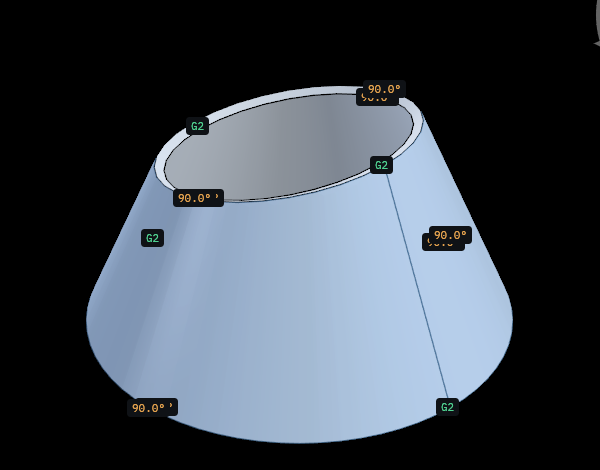
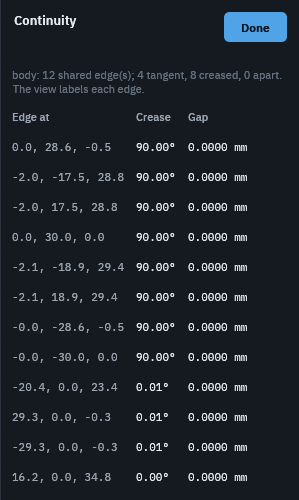
Check continuity measures every edge where two faces of the selected body meet, a surface body or a solid: the gap between them, the angle of the crease (none where they meet tangent), and how far apart their curvatures are square to the edge. Each edge is labelled in the view: G2 where the faces meet tangent and bend alike, G1 for a tangent join whose curvature jumps (a flat wall running into a round), the crease angle, or the gap where the faces are apart; the task lists them from the sharpest crease down. Close puts the labels away.
The curvature map paints the selected body by how sharply its surfaces bend, read from the exact surfaces at every point of its mesh: the Gaussian curvature (positive on a dome or in a bowl, negative on a saddle, nothing on a plane or on what unrolls flat, such as a cylinder), the mean, or the largest or smallest, which are negative where a surface bulges out and positive in a hollow; the colours run from the low end through green at none to the high end, reaching their ends at the range the task sets, by default the size most of the body stays within.
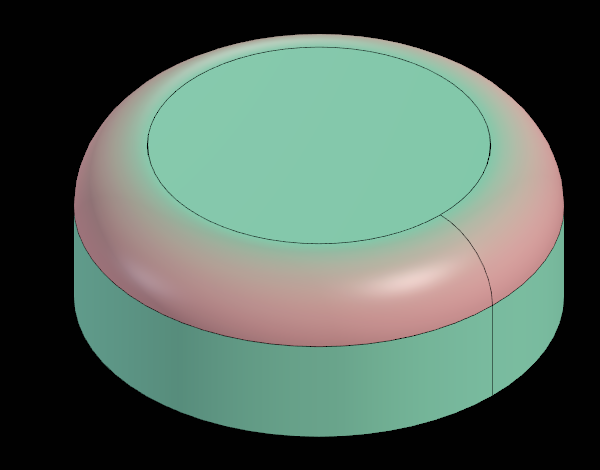
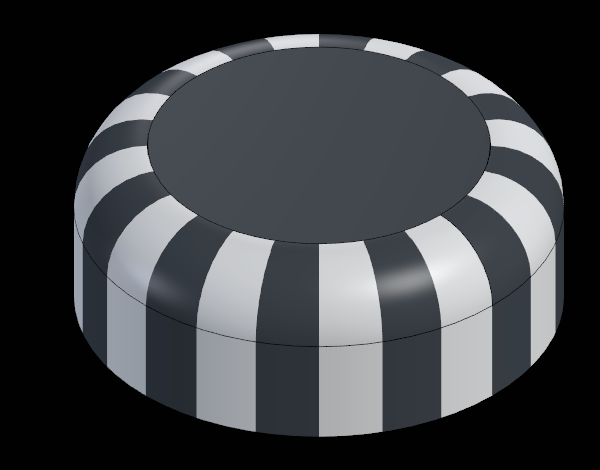
Zebra stripes paint the body with bands of the way its surfaces face, turned about X, Y or Z. Across a crease the stripes break; across a tangent join they run on but bend sharply; across a curvature continuous join they run on smoothly. The task sets the number of stripes and their axis. Either display stays until its task closes.
When a step fails
The body shows its history up to the step that fails, the error is on that step, and the steps after it say they were not built. Fix or suppress the failing step and the rest build again.
Scripting
Every tool that builds has a command:
pc.surface.extrude, pc.surface.revolve,
pc.surface.planar, pc.surface.fill,
pc.surface.ruled, pc.surface.loft,
pc.surface.sweep, pc.surface.offset,
pc.surface.blend, pc.surface.sew,
pc.surface.fillet, pc.surface.fillet_faces,
pc.surface.extend, pc.surface.split,
pc.surface.trim, pc.surface.thicken and
pc.surface.mirror. They take sketches (a list,
in order), body (a body, or any feature in it) and any
field of the step by name; the steps that work on a body's surfaces, and
Offset and Blend, which read its faces and edges, need
body. Sew takes body and gap,
Mirror body, plane and offset. A
step missing what it builds from is refused, naming the field. Each
command's notes and a working example are in the scripting
reference.
pc.surface.set{feature = id, length = 8} changes a step
after it is made, its curves too (sketches);
pc.surface.check{body = id} returns how the body's faces
meet at each shared edge (point, gap,
angle_deg, curvature, join) and
labels them in the view;
pc.surface.curvature{body = id, measure = "mean"} paints
the curvature map and returns its range,
pc.surface.zebra{body = id} the stripes;
pc.sketch.new{body = id} starts a sketch in a surface body,
as Create sketch does.
local s = pc.sketch.new{plane = "XY"}
pc.sketch.polyline{sketch = s, points = {{0, 0}, {10, 0}, {10, 10}, {0, 10}}, closed = true}
local walls = pc.surface.extrude{sketches = {s}, length = 5}
pc.surface.planar{body = walls, sketches = {s}}
pc.surface.sew{body = walls}